

Wednesday, 25 November
Today
Today’s progress
67%
6 of 9 tasks done
- Interview three customers
- QA checkout on Android
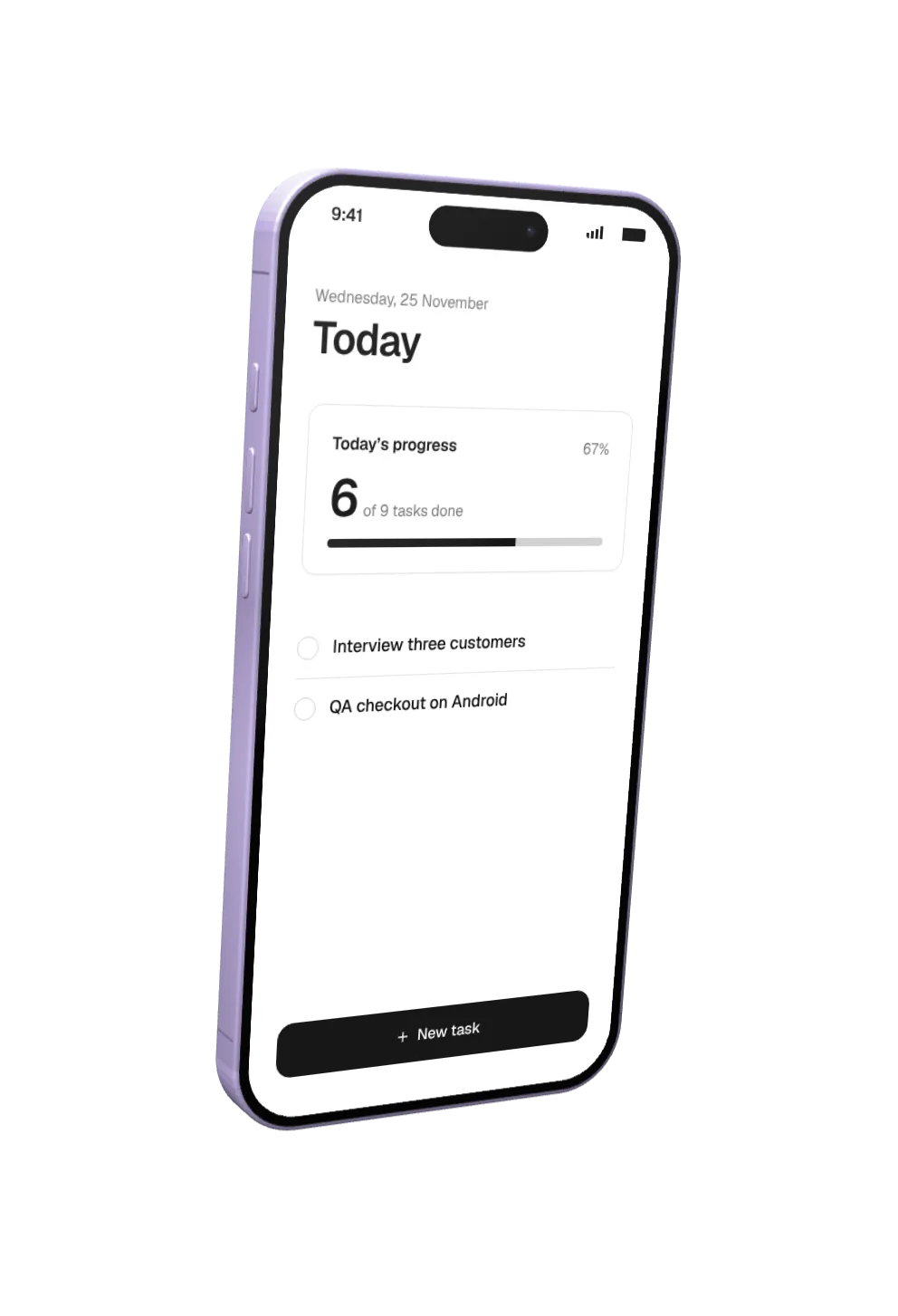
iPhone 17 3D mockup for Figma
A realistic iPhone 17 built in native Figma 3D. Put your design in its flat screen and the 3D phone shows it straight away.
The standard iPhone 17, with the vertical camera pill and the softer colours of the regular line. Use it when your audience mostly has a non-Pro iPhone, or when a Pro model feels too flashy.
- Screen component
- 402 × 874
- In the Figma file
- 1 screen component · 1 3D view · 1 portable frameOn its own page, next to the shared presets and mockups
- Front
- Dynamic Island
- Finishes
- Lavender
#c0b0e2 - Black
#6c6c70 - White
#fffefb - Mist Blue
#d4ecff - Sage
#f2ffdf
- Lavender
- 3D
- “Phone – portable” frameCopy it into any frame and set any angle
This is the phone from the Figma file itself, layer for layer, shown live in your browser.
iPhone 17 FAQ
Where can I get an iPhone 17 mockup for Figma?
Here. The 3D Device Kit has a realistic iPhone 17 built in native Figma 3D, so you turn it in Figma itself, without a plugin. It is in the full kit ($29, one-time). The free file has the Standard phone and the iPhone Duo to try first.
What is the iPhone 17 screen size in Figma?
402 × 874 pt, which is 1206 × 2622 pixels at @3x.
What is the iPhone 17 screen corner radius?
54 pt in the kit. Use the same radius on your full-screen frame so nothing gets cut off in the corners.
How big is the iPhone 17?
71.5 × 149.6 × 7.95 mm (width × height × depth). The 3D model is built at these proportions.
Which iPhone 17 colours are in the mockup?
Lavender, Black, White, Mist Blue, Sage. Each is a Figma variable mode that recolours the whole phone at once.
What are the iPhone 17 colour codes?
The hex values of each finish in the kit, frame and back: Lavender #c0b0e2 / #c0b0e0, Black #6c6c70 / #68686c, White #fffefb / #fffefb, Mist Blue #d4ecff / #d4ecff, Sage #f2ffdf / #f2ffdf. They are tuned for the 3D lighting, so they can look slightly lighter than a flat colour.
What is in the Figma file for the iPhone 17?
A page with 1 screen component, 1 3D view, 1 portable frame. Copy the portable frame into any design and set the angle. The file also has shared 3D presets, example screens and ready-made mockups for banners, Instagram posts and stories and App Store screenshots.
Is the iPhone 17 screen the same size as the 17 Pro?
Yes. Both use 402 × 874 pt, so one design fits both phones.
Keep looking
More phones
Wednesday, 25 November
Today
Today’s progress
67%
6 of 9 tasks done
- Interview three customers
- QA checkout on Android
Wednesday, 25 November
Today
Today’s progress
67%
6 of 9 tasks done
- Interview three customers
- QA checkout on Android
Wednesday, 25 November
Today
Today’s progress
67%
6 of 9 tasks done
- Interview three customers
- QA checkout on Android
Wednesday, 25 November
Today
Today’s progress
67%
6 of 9 tasks done
- Interview three customers
- QA checkout on Android